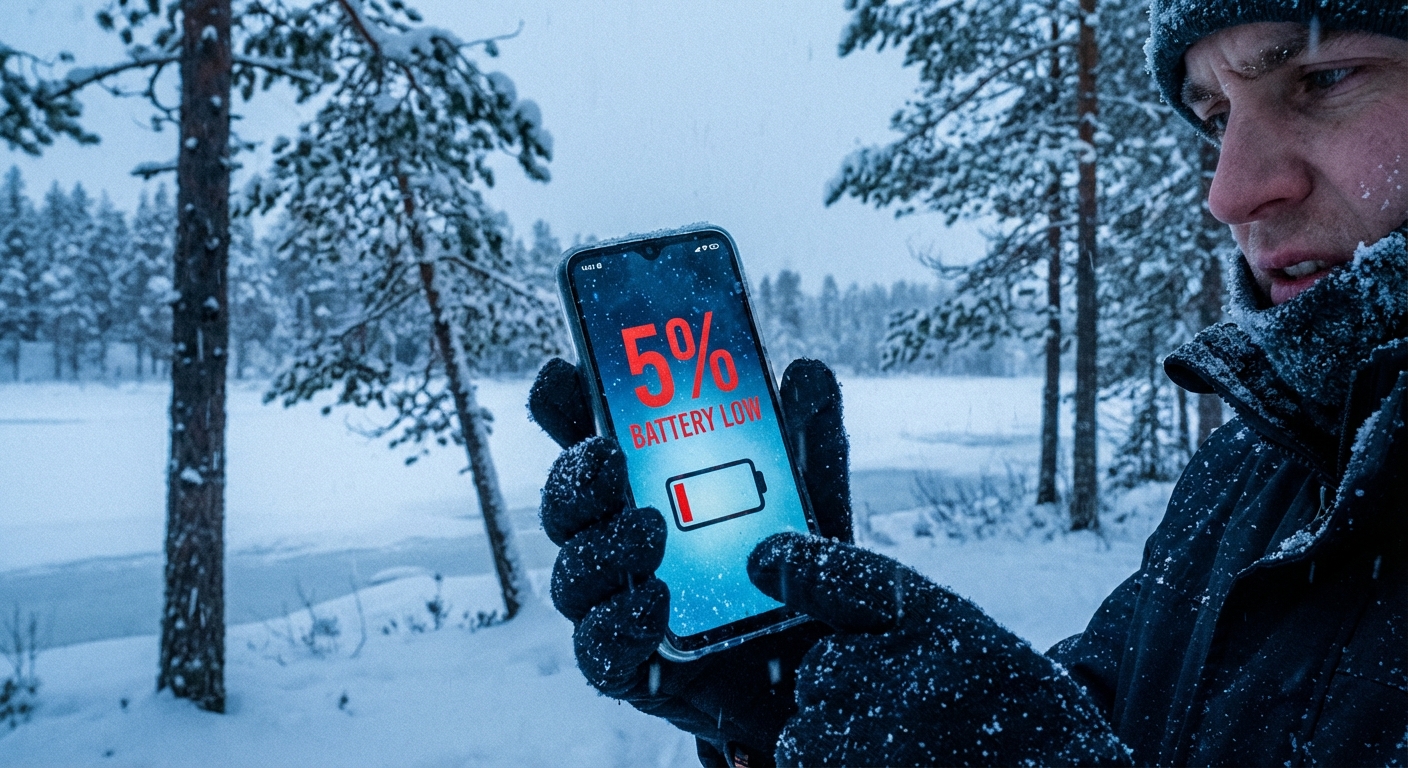
Why does your phone battery die faster in cold weather? Cold temperatures slow the chemical reactions inside lithium-ion batteries that generate electrical current. Below about 32°F (0°C), your phone’s battery can provide significantly less power than its charge level indicates, causing unexpected shutdowns even when the battery shows 20 or 30 percent remaining. The battery itself isn’t damaged by occasional cold exposure, but its temporary capacity reduction can leave you stranded without a working phone.
This is a fundamental chemistry issue, not a flaw in your specific phone. Every device using lithium-ion batteries, including phones, tablets, laptops, and electric vehicles, experiences reduced performance in cold conditions.
The Chemistry Behind Cold Battery Drain
Lithium-ion batteries work by moving lithium ions between electrodes through a liquid electrolyte. When you discharge the battery, ions flow from the anode to the cathode, releasing electrons that power your device. When you charge it, the process reverses.
Cold temperatures increase the viscosity of the electrolyte, making it harder for ions to move through it. Think of it like honey: at room temperature, honey pours easily, but refrigerated honey barely moves. When ions can’t flow efficiently, the battery can’t deliver power as effectively.
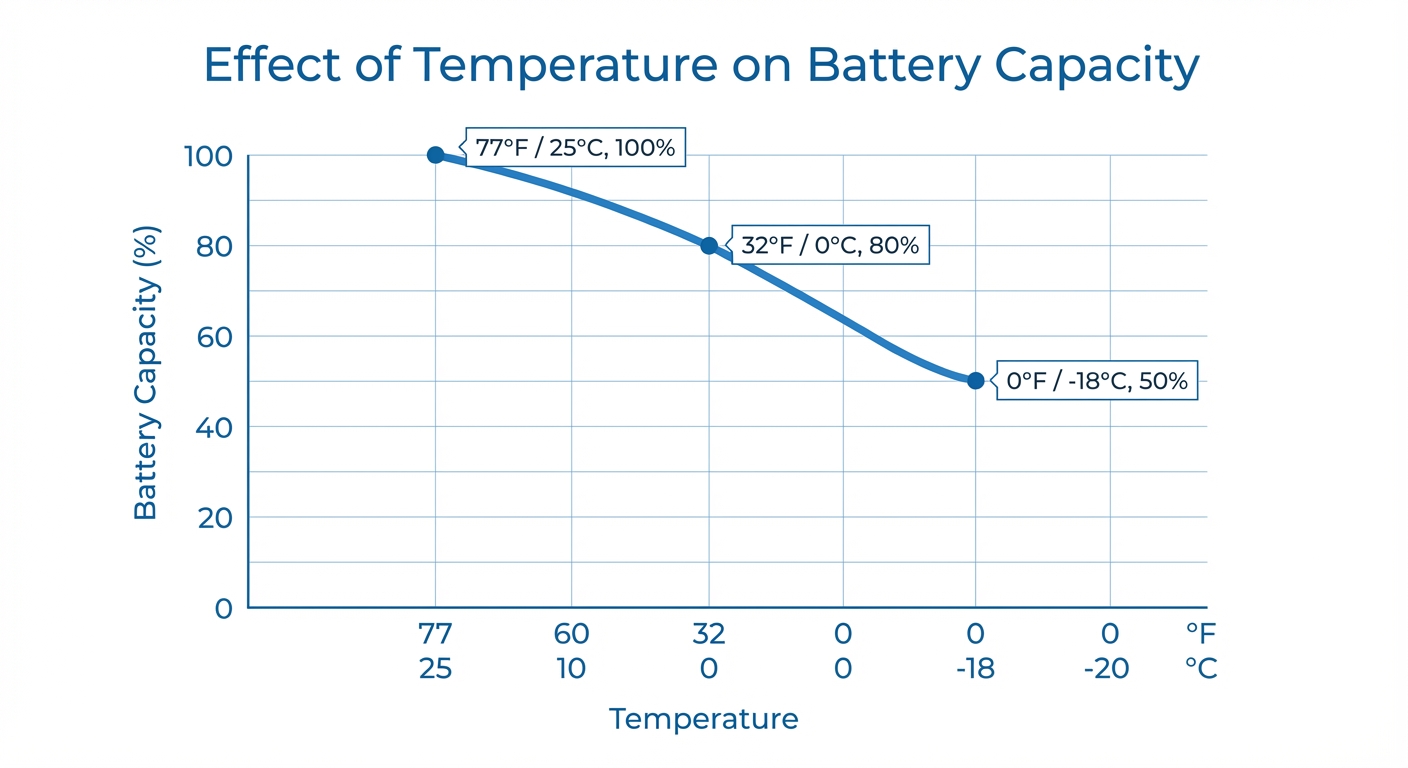
The effect is significant. At 32°F, a typical lithium-ion battery delivers only about 80 percent of its room-temperature capacity. At 0°F (-18°C), that drops to around 50 percent. Your phone’s battery gauge shows how much charge is stored, but in cold conditions, much of that stored energy is temporarily inaccessible.
Why Your Phone Shuts Down Unexpectedly
The cold affects not just capacity but voltage. As batteries struggle to deliver power in cold conditions, their voltage drops. Phones monitor battery voltage to estimate charge level and protect the battery from over-discharge. When voltage drops below a threshold, the phone shuts down to prevent damage, even if considerable charge remains.
This explains the infuriating experience of your phone dying at 25 percent in the cold, then showing 30 percent when you get inside and turn it back on. The charge was there all along, but the cold prevented the battery from delivering it. Once warmed up, normal voltage returns.
Apple addressed this issue transparently after the “Batterygate” controversy, when iOS throttled processor speed on phones with degraded batteries to prevent cold-related shutdowns. Modern iPhones let users choose between maximum performance with shutdown risk or managed performance with stability.
How to Protect Your Phone in Cold Weather
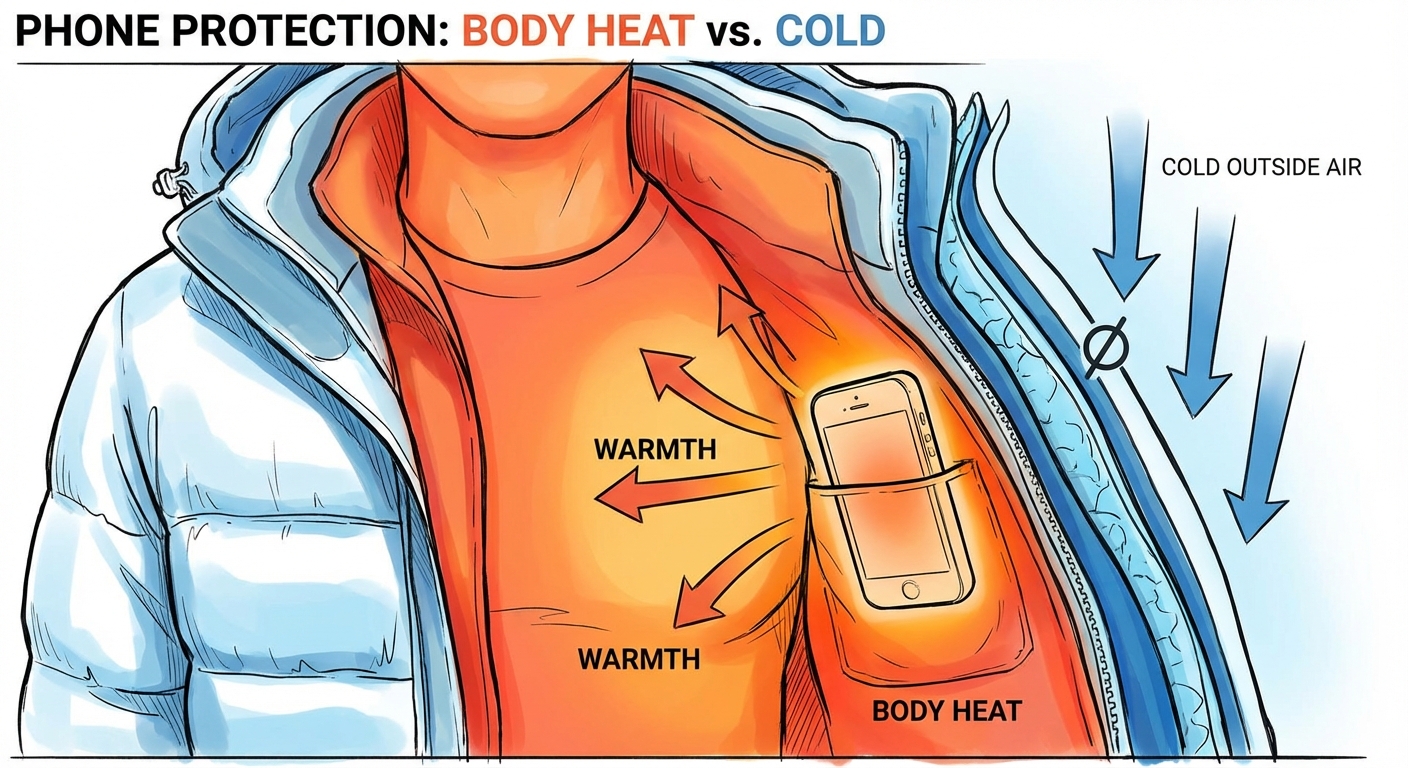
Keep your phone close to your body when outdoors in cold weather. An inside pocket, where your body heat keeps it warm, is ideal. Outer jacket pockets expose the phone to ambient temperature. Some people use insulated phone cases in extremely cold climates.
Avoid using your phone extensively in the cold. If you need to take a photo or check directions, do it quickly and return the phone to a warm pocket. Extended use in cold air accelerates heat loss. If you’re skiing or hiking in severe cold, consider bringing a power bank kept warm in an inner pocket.
Don’t charge your phone while it’s cold. Charging a lithium-ion battery below 32°F can permanently damage it by causing lithium plating on the anode. Most phones won’t charge or will charge very slowly when cold as a protective measure. Warm the phone before plugging it in.
Warming Your Phone Safely
When you bring a cold phone inside, let it warm up gradually before heavy use or charging. Place it on a table at room temperature rather than putting it near a heater or radiator. Rapid temperature changes can cause condensation inside the device, potentially damaging internal components.
Never use artificial heat sources to warm your phone. Hair dryers, space heaters, microwaves, or ovens can damage batteries or other components. Body heat from your hands or pocket is safe and effective. A phone at 32°F will warm to room temperature in 15 to 20 minutes indoors.
If you notice your phone feels unusually cold after extended outdoor exposure, check that it’s actually functional before assuming the battery is dead. Sometimes the screen itself becomes sluggish in extreme cold. Give it a few minutes to warm up before troubleshooting.
When Cold Damage Becomes Permanent
Occasional cold exposure doesn’t permanently harm lithium-ion batteries. The capacity reduction reverses completely when the battery returns to normal temperature. You can use your phone in cold weather without worrying about long-term damage, as long as you avoid charging when cold.
Repeated extreme temperature cycling, moving from very cold to very hot environments, can accelerate battery wear over time. The physical expansion and contraction of battery materials stresses internal structures. But normal seasonal use, including occasional cold-weather exposure, falls within design parameters.
Charging in the cold is the real danger. If you regularly charge a frozen phone, the lithium plating that forms reduces battery capacity permanently and can create internal short-circuit risks. Always warm the phone before charging if it’s been in freezing conditions.
Summary
Cold temperatures slow the chemical reactions in lithium-ion batteries, temporarily reducing capacity and causing phones to die faster or shut down unexpectedly in winter. A battery that shows 30 percent charge may not be able to deliver that power until it warms up.
Protect your phone by keeping it in an inside pocket near your body and minimizing use in extreme cold. Let it warm up gradually before charging, and never use artificial heat sources. The capacity reduction reverses when the phone returns to normal temperature, so cold weather causes inconvenience but not permanent damage if you avoid charging while cold.