A VPN, or virtual private network, creates an encrypted connection between your device and a remote server, masking your IP address and making your internet activity harder to track. But do you actually need one? For most everyday browsing at home, probably not. However, there are specific situations where a VPN provides genuine security benefits.
The honest answer is that VPNs are useful tools for specific purposes, but they’re not the privacy silver bullet that marketing often suggests. According to Proton VPN, a VPN protects your data from your internet service provider and potential snoopers on public networks, but it doesn’t make you anonymous online or protect you from malware, phishing, or other common threats.
How a VPN Actually Works
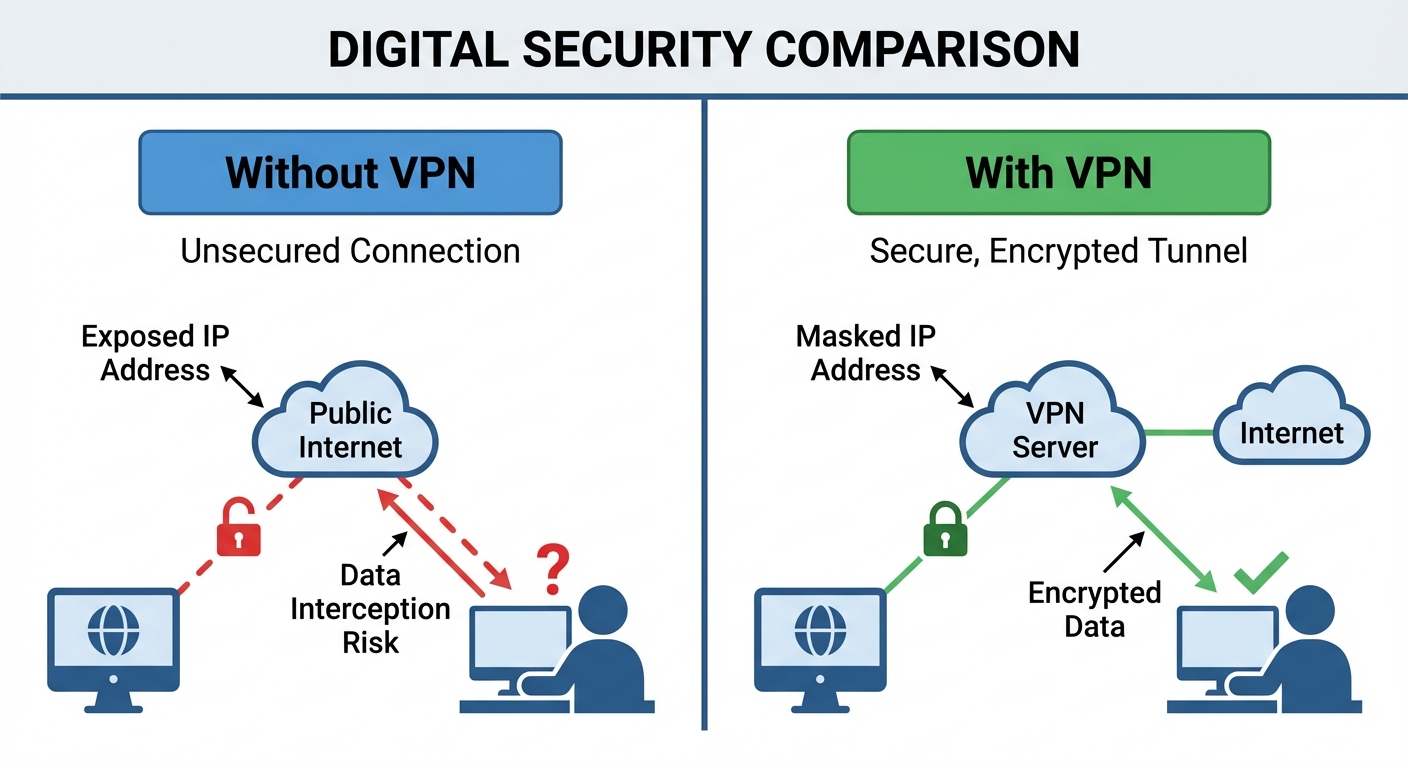
When you connect to the internet without a VPN, your traffic flows directly from your device through your internet service provider’s servers to whatever website or service you’re accessing. Your ISP can see which sites you visit, and the sites you visit can see your IP address, which reveals your approximate location.
A VPN adds a middleman to this process. Your traffic is encrypted on your device, sent to the VPN provider’s server, decrypted there, and then forwarded to its destination. The website sees the VPN server’s IP address instead of yours, and your ISP sees only that you’re connected to a VPN, not what you’re doing.
The encryption happens through protocols like WireGuard or OpenVPN that scramble your data so anyone intercepting it would see only gibberish. Kaspersky explains that this encrypted tunnel prevents hackers, ISPs, and other third parties from reading your traffic, which is particularly valuable on unsecured networks.
It’s worth understanding the trust trade-off here. Without a VPN, your ISP can see your activity. With a VPN, you’re trusting the VPN provider instead. You’ve shifted who can see your data, not eliminated surveillance entirely. This is why choosing a reputable VPN provider with a clear no-logs policy matters.
When You Actually Need a VPN
Public WiFi networks at coffee shops, airports, and hotels present real security risks. These networks are often unencrypted, meaning anyone on the same network could potentially intercept your traffic. A VPN encrypts everything leaving your device, making public WiFi significantly safer for checking email, accessing bank accounts, or logging into work systems.
Remote work is another legitimate use case. Many companies require VPN connections to access internal resources, and for good reason. The VPN creates a secure tunnel into the corporate network, protecting sensitive business data even when employees work from home or travel. This enterprise use case is actually what VPNs were originally designed for.
If you’re concerned about your ISP tracking and selling your browsing data, a VPN prevents them from seeing which specific sites you visit. In the US, ISPs can legally collect and sell this data, so a VPN provides a layer of privacy. However, you’re now trusting the VPN company instead, so research their privacy policies and track record.
Accessing content that’s geographically restricted is probably the most common consumer use. Streaming services like Netflix offer different libraries in different countries, and a VPN can make it appear that you’re browsing from another location. Be aware that many streaming services actively try to block VPN traffic, and using a VPN may violate their terms of service.
When You Probably Don’t Need One
For regular browsing at home on your own secured WiFi network, the security benefits of a VPN are minimal. Modern websites use HTTPS encryption (look for the padlock in your browser’s address bar), which already encrypts the data you send to and receive from websites. Your ISP can see which sites you visit but not what you’re doing on those sites.
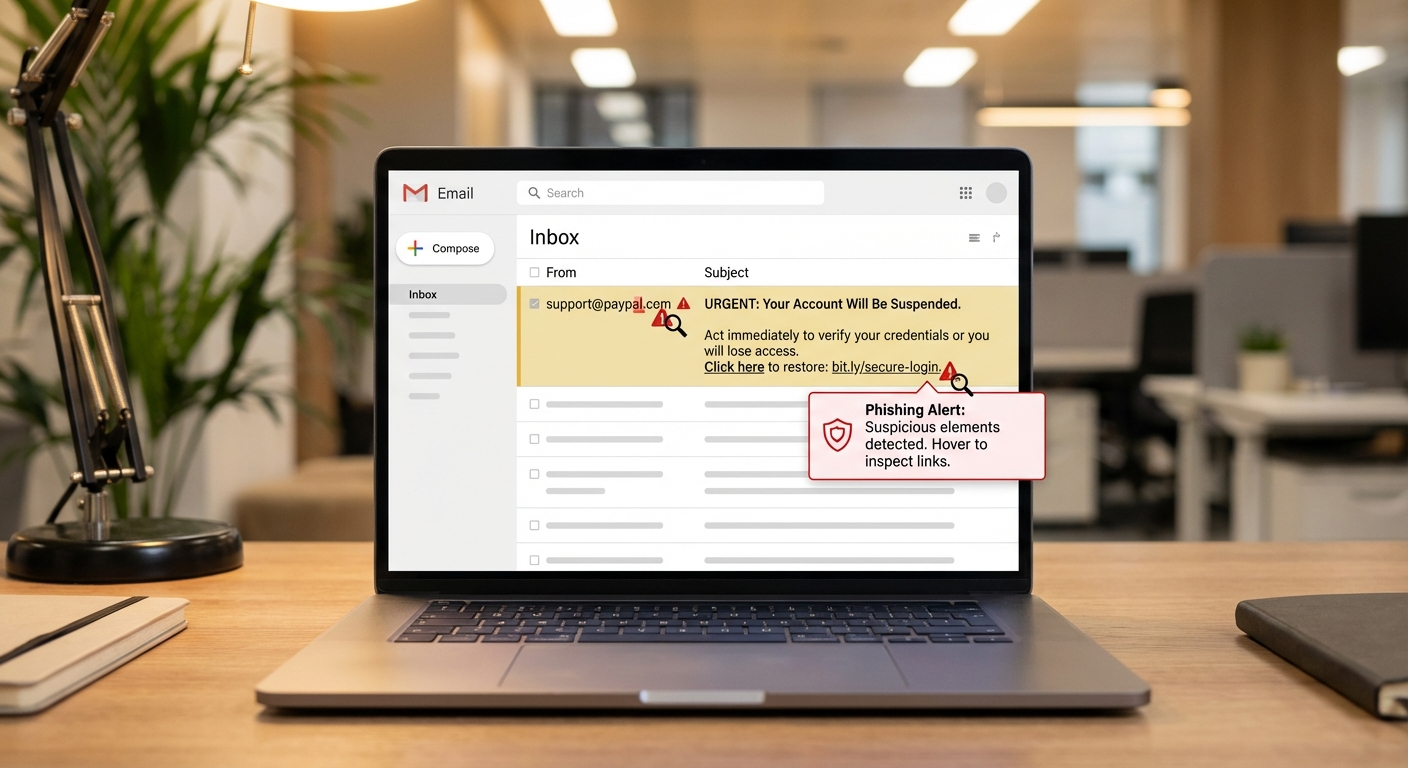
VPNs don’t protect you from most online threats. Phishing emails, malware downloads, and social engineering attacks work regardless of whether you’re using a VPN. If you click a malicious link or enter your password on a fake website, the VPN won’t save you. For comprehensive online safety, combine good security practices with tools like two-factor authentication and strong, unique passwords.
The “anonymous browsing” marketing claim is largely overstated. Websites can still track you through cookies, browser fingerprinting, and login information. If you’re logged into Google while using a VPN, Google still knows what you’re searching for. True anonymity requires much more than just masking your IP address.

Choosing a VPN Provider
If you decide a VPN makes sense for your needs, the provider you choose matters significantly. Free VPNs often monetize through advertising or, worse, by logging and selling your data, which defeats the privacy purpose entirely. The adage “if you’re not paying, you’re the product” applies here.
Look for providers with independently audited no-logs policies, meaning they don’t keep records of your activity. Reputable options include Proton VPN, Mullvad, and IVPN, all of which have undergone third-party security audits. Consider where the company is headquartered, as different countries have different data retention laws and surveillance agreements.
Speed and server locations matter for usability. VPNs inevitably slow your connection somewhat because your traffic takes a longer path through the VPN server. Good providers minimize this impact with fast servers in many locations. If you’re trying to access content from a specific country, make sure the provider has servers there.
Modern protocols like WireGuard offer better performance than older options like OpenVPN. Most quality VPN apps let you choose your protocol, and WireGuard is generally the best choice for both speed and security on most devices.
Setting Up and Using a VPN
Most VPN services provide apps for Windows, Mac, iOS, and Android that make setup straightforward. You download the app, log in with your account, and click connect. The app handles all the technical configuration behind the scenes.
For maximum protection, enable the “kill switch” feature if available. This blocks all internet traffic if the VPN connection drops unexpectedly, preventing your real IP address from being exposed. Some apps also offer “split tunneling,” which lets you choose which apps use the VPN and which connect directly, useful if certain services don’t work well through a VPN.
You don’t need to keep your VPN connected constantly. Turn it on when you’re on public WiFi, accessing sensitive work systems, or want extra privacy. Keeping it on all the time works fine but may slow your connection and cause issues with some websites that block VPN traffic.
Summary
A VPN encrypts your internet connection and hides your IP address, providing real security benefits in specific situations like public WiFi use, remote work, and privacy from your ISP. However, it’s not a complete privacy solution and doesn’t protect against malware, phishing, or tracking through cookies and logins.
For most people browsing at home, a VPN is optional rather than essential. If you decide you need one, invest in a reputable paid service with a verified no-logs policy rather than trusting a free VPN with your data. And remember that a VPN is just one tool in your security toolkit. For broader protection, also focus on protecting your data through good security habits and staying alert to online threats.