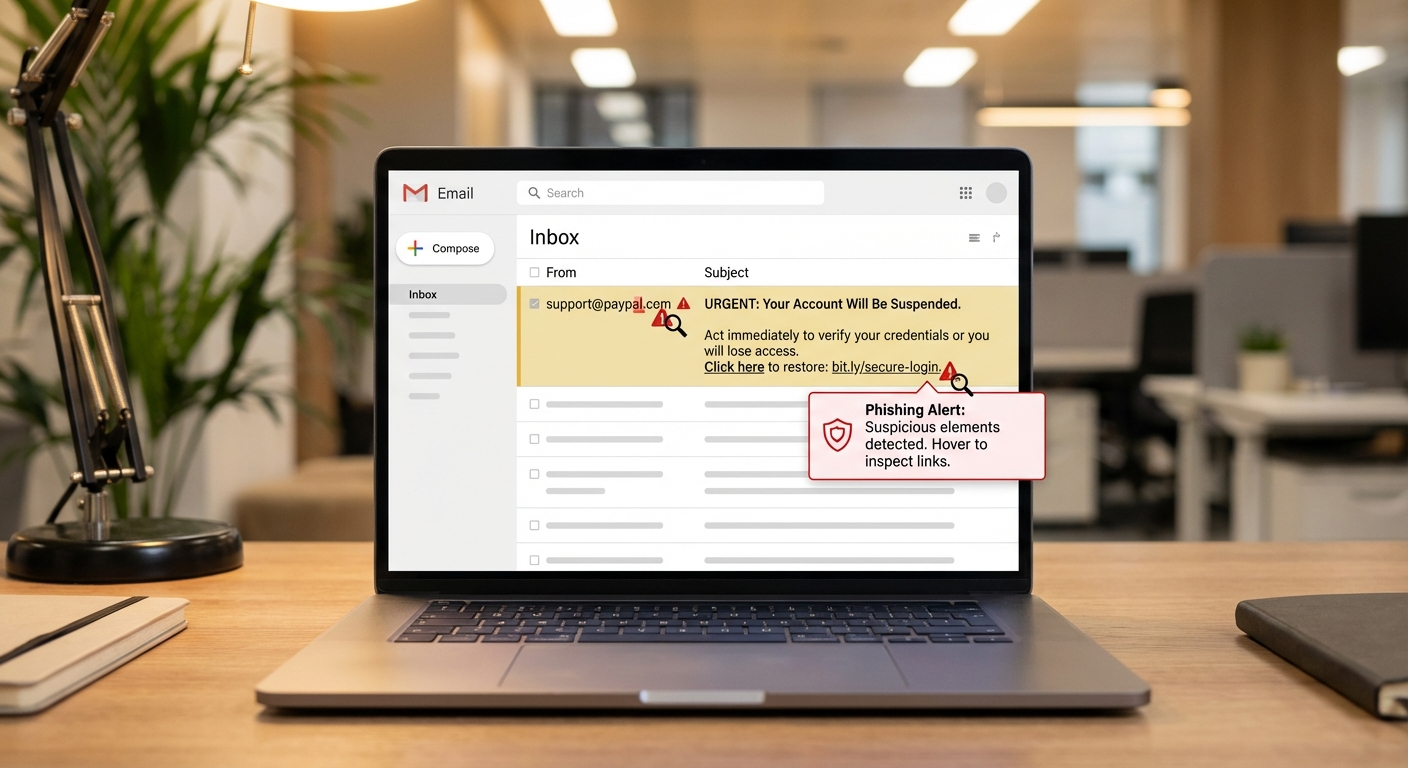
Phishing emails try to trick you into revealing passwords, financial information, or installing malware by impersonating trusted companies or people. The warning signs include mismatched sender addresses, urgent language demanding immediate action, and links that don’t go where they claim. Modern phishing is sophisticated, but knowing what to look for can help you spot most attempts.
If you’ve already clicked a suspicious link or entered information on a fake site, don’t panic. Immediately change the password for any accounts that might be compromised, enable two-factor authentication where available, and monitor your accounts for unauthorized activity. Acting quickly limits the damage.
Red Flags That Reveal Phishing Attempts
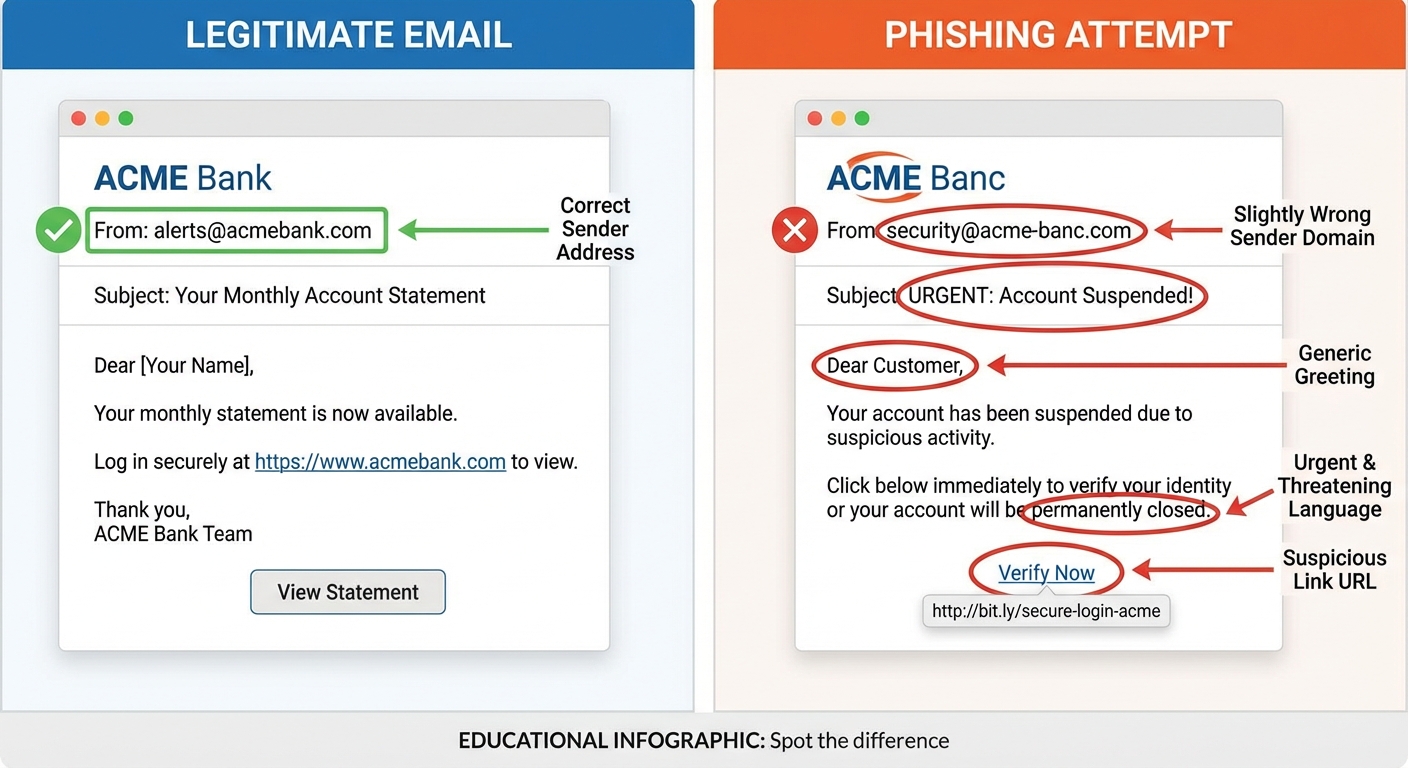
The sender’s email address is often the biggest giveaway, but you have to look carefully. Phishers use addresses that look legitimate at first glance but contain subtle misspellings or extra characters. An email claiming to be from Amazon might come from “amazon-support@amazon-verify.com” instead of an actual @amazon.com address. Always hover over the sender name to see the full email address.
Urgency is a classic manipulation tactic. Phrases like “Your account will be suspended in 24 hours,” “Immediate action required,” or “Final warning” try to make you act before thinking. Legitimate companies rarely demand instant action via email. Banks don’t threaten to close your account if you don’t click a link within hours.
Generic greetings like “Dear Customer” or “Dear User” suggest the sender doesn’t actually know who you are. Most companies you have accounts with address you by name. Some phishing emails now do include your name, scraped from data breaches, so this isn’t foolproof, but generic greetings are still a red flag.
Grammar and spelling errors used to be obvious tells, but modern phishing has improved significantly. Many scam emails are now grammatically perfect because attackers use AI tools or native speakers. Don’t assume an email is legitimate just because it’s well-written.
How to Verify Links Without Clicking Them
Never click a link in an email to verify your account information. Instead, open a new browser window and navigate to the company’s website directly by typing the address you know is correct. If there’s really a problem with your account, you’ll see it when you log in normally.
On desktop, hover your mouse over any link without clicking to see the actual URL in the bottom corner of your browser or email client. On mobile, press and hold the link to preview the destination. The displayed text might say “Click here to verify your PayPal account,” but the actual link might go to “paypa1-verify.scammer.com.” Note the number “1” instead of the letter “l” and the unrelated domain.
URL shorteners like bit.ly or tinyurl in emails from major companies are immediate red flags. Legitimate businesses almost never use shortened links in official communications because they want you to see where you’re going. If an email from your bank contains a shortened URL, it’s almost certainly fake.
Look for HTTPS on any login page, indicated by a padlock icon in your browser’s address bar. But don’t rely on this alone. Scammers can and do obtain legitimate SSL certificates for their fake sites. The padlock means the connection is encrypted, not that the site is trustworthy.
Common Phishing Scenarios in 2026
Package delivery scams have exploded as online shopping increased. You receive an email claiming a delivery failed and asking you to click a link to reschedule. The link leads to a fake shipping company site that asks for payment information or installs malware. If you’re expecting a package, track it through the shipper’s official app or website, not through email links.
Tech support scams often come as pop-ups rather than emails. A message appears claiming your computer is infected and providing a phone number to call. The “support technician” then asks you to install remote access software, giving them control of your computer. Microsoft, Apple, and other tech companies never contact customers this way.
Tax season brings IRS impersonation scams. The IRS communicates primarily by postal mail, not email. Any email claiming you owe back taxes, are being audited, or will be arrested is fake. The IRS will never demand immediate payment via gift cards or wire transfer.
Business email compromise targets workplaces by impersonating executives or vendors. An email that appears to come from your CEO asks you to urgently purchase gift cards or wire money to a new account. These attacks often combine email spoofing with research into company hierarchies found on LinkedIn. Always verify unusual financial requests through a separate channel, like calling the person directly.

What to Do If You Clicked a Phishing Link
If you clicked a link but didn’t enter any information, your risk is lower but not zero. Some phishing sites attempt to install malware just by visiting. Run a full antivirus scan immediately. If you’re on a work computer, contact your IT department.
If you entered login credentials on a suspicious site, change that password immediately on the real site. If you use the same password elsewhere, change it on those accounts too. This is why password reuse is dangerous, and why checking for leaked passwords regularly matters. Enable two-factor authentication on all accounts that offer it.
If you entered financial information like credit card numbers, call your bank or credit card company immediately. They can flag your account for suspicious activity, issue new card numbers, and reverse fraudulent charges. The sooner you report it, the better your chances of avoiding financial loss.
If you downloaded or opened an attachment, disconnect from the internet and run antivirus software. The attachment may have installed malware that’s now sending your data to attackers or encrypting your files for ransom. If the scan finds something, you may need professional help to clean your system, or you might need to restore from a backup.
Protecting Yourself Long Term
Email filters catch most phishing attempts before they reach your inbox, but some always get through. Treat every unexpected email requesting action or information with skepticism, especially if it creates urgency. When in doubt, don’t click. Contact the company directly through official channels.
Using a password manager eliminates one of phishing’s main attack vectors. Password managers only auto-fill credentials on the real website, so if you’re on a fake PayPal site, your password manager won’t offer to fill in your PayPal password. This provides an automatic check against convincing fakes.
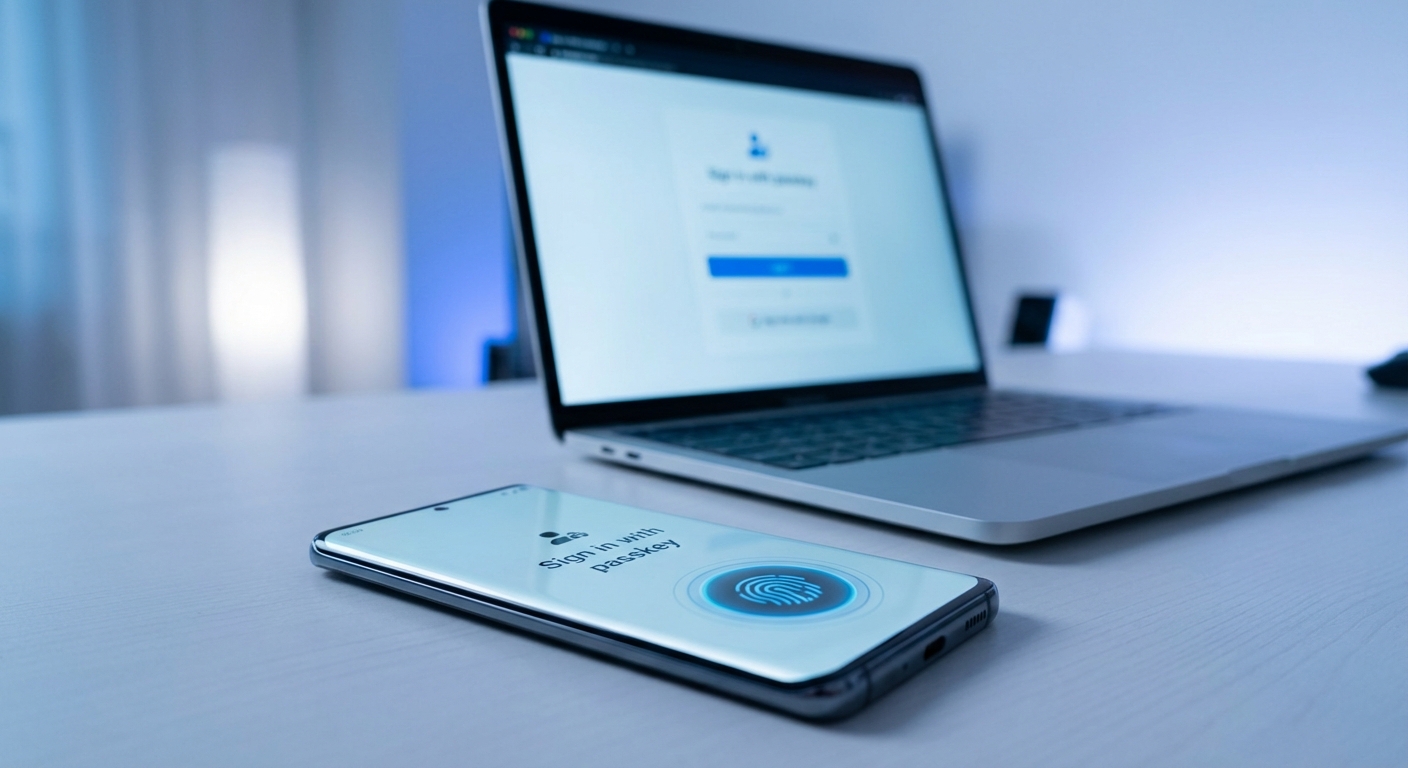
Two-factor authentication protects you even if your password is stolen. Without access to your phone or security key, attackers can’t log into your accounts even with the correct password. Enable it on every account that offers it, especially email, banking, and social media.
Keep your software updated. Operating system and browser updates often patch security vulnerabilities that phishing sites try to exploit. Automatic updates are the easiest way to stay protected without having to think about it.
Summary
Phishing emails use fake sender addresses, urgent language, and deceptive links to trick you into revealing sensitive information or installing malware. Always verify the sender’s actual email address, hover over links before clicking, and go directly to websites rather than clicking email links.
If you’ve clicked a suspicious link or entered information, act quickly: change passwords, enable two-factor authentication, contact your bank if financial data was shared, and run antivirus scans. Quick action significantly reduces the potential damage.
For long-term protection, use a password manager, enable two-factor authentication everywhere possible, and keep your software updated. For more on protecting yourself online, read our guide on how to protect your data and learn about two-factor authentication. The best defense against phishing is healthy skepticism: if an email feels wrong, it probably is.