Your IP address is a unique number assigned to your device that identifies it on the internet. Think of it like a mailing address for your computer, phone, or tablet. Without it, websites wouldn’t know where to send the data you request, and your device couldn’t communicate with anything online.
“What is my IP?” is one of the most searched questions on Google, with millions of people asking it every month. The curiosity makes sense: this invisible number affects your privacy, determines what content you can access, and occasionally causes technical headaches that are easier to solve once you understand what you’re dealing with.
Here’s what your IP address actually is, what it reveals about you, and when you should care about it.
What an IP Address Actually Is
IP stands for “Internet Protocol,” which is the set of rules governing how data moves across the internet. Your IP address is a string of numbers (like 192.168.1.1 or 2001:0db8:85a3:0000:0000:8a2e:0370:7334) that serves as your device’s location tag on the network.
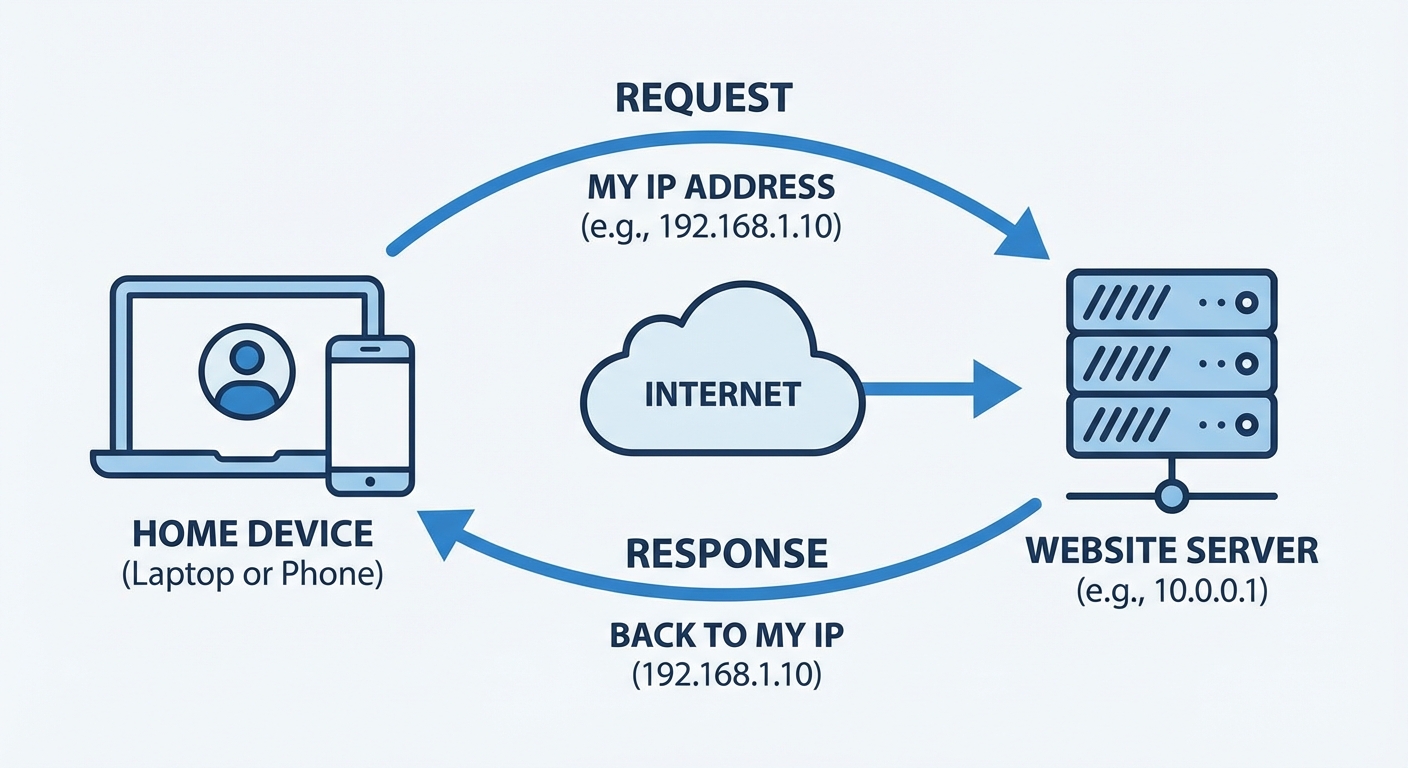
When you type a website address into your browser, your device sends a request that includes your IP address. The website’s server needs this address to know where to send its response. Without your IP address attached to the request, the server would have no idea where to deliver the webpage you asked for.
There are two versions of IP addresses in use today. IPv4 addresses are the familiar four-number format (like 74.125.224.72) that has been used since the internet’s early days. IPv6 addresses are longer and use letters and numbers (like 2607:f8b0:4004:800::200e) because the internet has grown so large that we’re running out of IPv4 addresses.
Most home users don’t need to worry about which version they’re using. Your router and internet service provider handle this automatically. But if you’re troubleshooting network issues, knowing that both exist can help you understand why some addresses look different than others.
What Your IP Address Reveals
Your IP address doesn’t reveal your name, home address, or phone number directly. However, it does reveal more than most people realize.
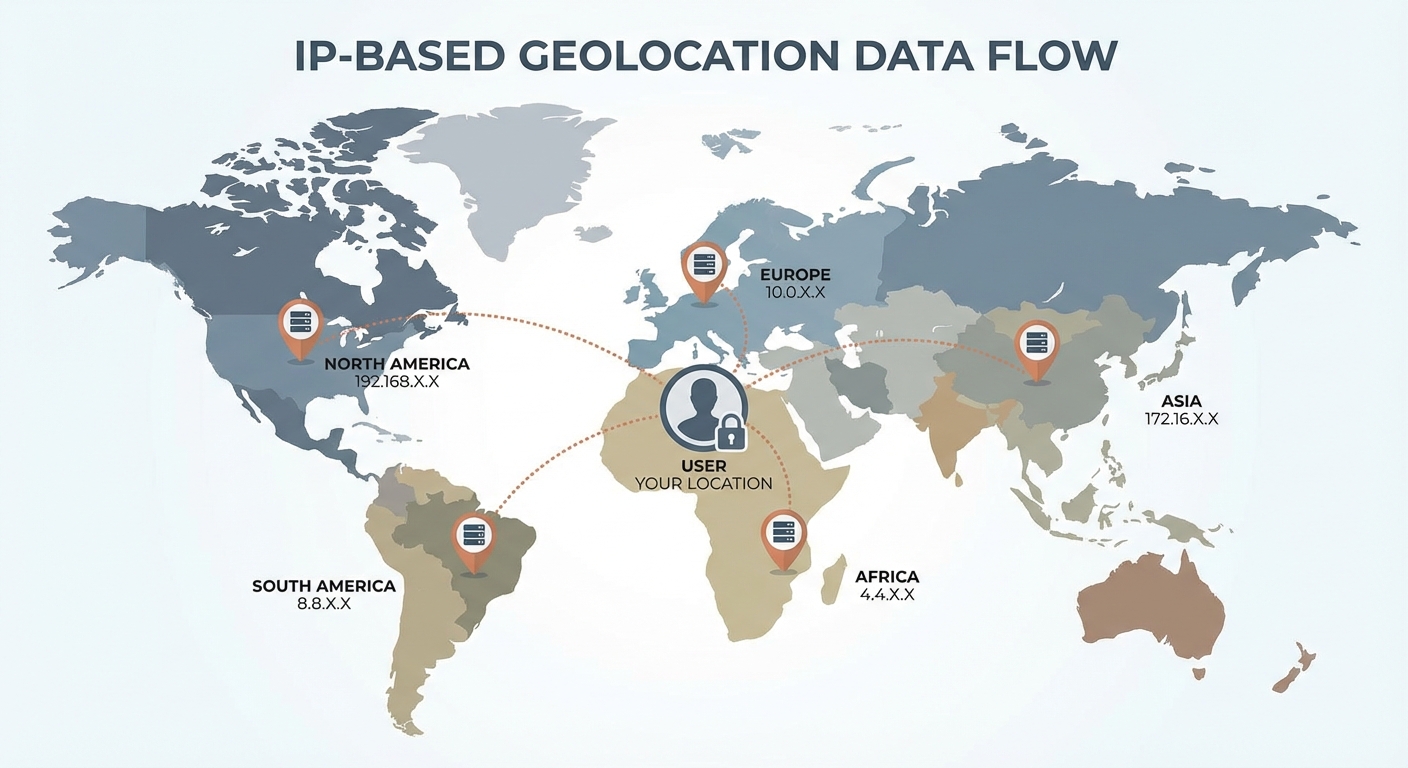
Your approximate location. IP addresses are assigned in geographic blocks, so your IP typically indicates your city or region. It’s not precise enough to identify your street address, but it’s accurate enough that websites can show you local weather, nearby stores, or region-specific content without you entering your location.
Your internet service provider. The company providing your internet connection owns blocks of IP addresses, so your IP reveals whether you’re using Comcast, AT&T, Verizon, or another provider. This information is visible to every website you visit.
Your browsing can be linked together. If you visit multiple websites with the same IP address, those sites can potentially share data and build a profile of your activity. This is one way advertisers track users across the web, though cookies and other methods are often more effective for this purpose.
What your IP address doesn’t reveal directly: your name, exact street address, browsing history, or any personal information you haven’t voluntarily shared. Law enforcement can request this information from your internet provider with proper legal authority, but random websites cannot look up who you are from your IP address alone.
When Your IP Address Matters
For everyday browsing, you rarely need to think about your IP address. But there are situations where it becomes relevant.
Streaming content restrictions. Services like Netflix, Hulu, and others license content by region. They use your IP address to determine your location and show you only the content available in your country. This is why some shows available in one country don’t appear in another, and why changing your apparent location (through a VPN) can affect what you can watch.
Network troubleshooting. When your internet connection has problems, knowing your IP address (and whether it’s changing unexpectedly) can help diagnose issues. Many home network problems involve IP address conflicts, where two devices accidentally get assigned the same address.
Online gaming and hosting. If you’re hosting a game server or need other players to connect directly to your computer, they may need your IP address. This is also when security becomes more relevant, since sharing your IP with strangers carries some risk.
Privacy from websites. If you’re concerned about websites tracking your general location or linking your activity across sessions, your IP address is one piece of that puzzle. Using a VPN masks your real IP address, which is one reason people use them for privacy. For more on VPNs and whether you need one, see our guide on what a VPN is and whether you need one.
How to Find Your IP Address
Finding your public IP address (the one websites see) is simple. Just search “what is my IP” in any search engine, and Google or Bing will display it directly in the search results. You can also visit sites like whatismyipaddress.com or ipinfo.io.
Finding your local IP address (the one your router assigns to your device within your home network) varies by device:
On Windows: Open Command Prompt and type ipconfig. Look for “IPv4 Address” under your active network connection.
On Mac: Open System Preferences, click Network, select your connection, and your IP address will be displayed.
On iPhone: Go to Settings, then Wi-Fi, tap the info icon next to your connected network, and look for IP Address.
On Android: Go to Settings, then Network & Internet (or Connections), then Wi-Fi, tap your connected network, and look for IP address in the details.
Your public IP and local IP are different numbers. Your public IP is assigned by your internet provider and is what the outside world sees. Your local IP is assigned by your router and is only used within your home network.
Static vs. Dynamic IP Addresses
Most home internet connections use dynamic IP addresses, meaning your IP can change periodically. Your internet provider has a pool of addresses and assigns them as needed. You might have the same IP for months, or it might change after you restart your router.
Static IP addresses never change. Businesses often pay extra for static IPs because they’re running servers that need a consistent address. For home users, dynamic IPs are usually fine and arguably better for privacy since your address changes over time.
If you’re having trouble with a service that requires a consistent IP, or if you need to access your home network remotely, you might benefit from a static IP. Contact your internet provider to ask about options, though expect an additional monthly fee.
Summary
Your IP address is your device’s identifier on the internet, necessary for any online communication but also revealing your approximate location and internet provider to every site you visit. For most people, it works invisibly in the background and requires no attention.
When it does matter, it’s usually for one of these reasons: troubleshooting network problems, understanding why content is restricted in your region, or taking steps to protect your privacy online. Knowing what your IP address is and what it reveals puts you in a better position to make informed decisions about your online activity.
To find your current IP address, just search “what is my IP” in any search engine. The answer will appear in seconds.